Skip to content
Respondr

The push-to-talk app that turns every phone into a walkie-talkie.

iOS, Android and rugged PoC radios. One-tap PTT, channel switching and live talker ID over Wi-Fi, LTE and 5G.


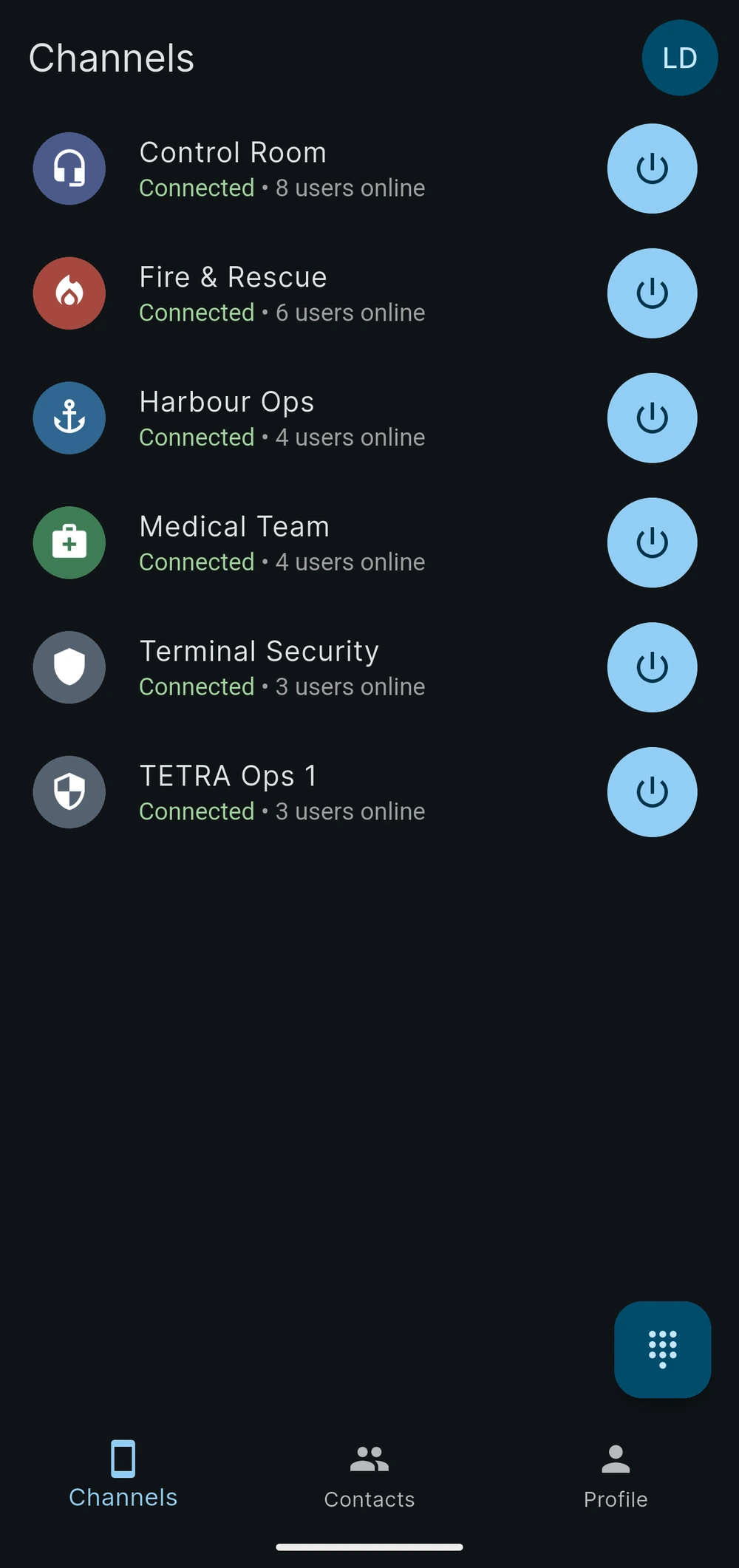
Respondr Mobile on two phones: an Android phone lists six connected channels, among them Harbour Ops and TETRA Ops 1, and an iPhone has the Harbour Ops channel open with the PTT button green during a transmission.

Part of the Respondr platform

Mission-critical push-to-talk for professional teams. Built for emergency services, field operations and dispatch centres, the app carries encrypted voice across every device and network the platform already covers.

01 — Channels

Your channel plan, in your pocket.

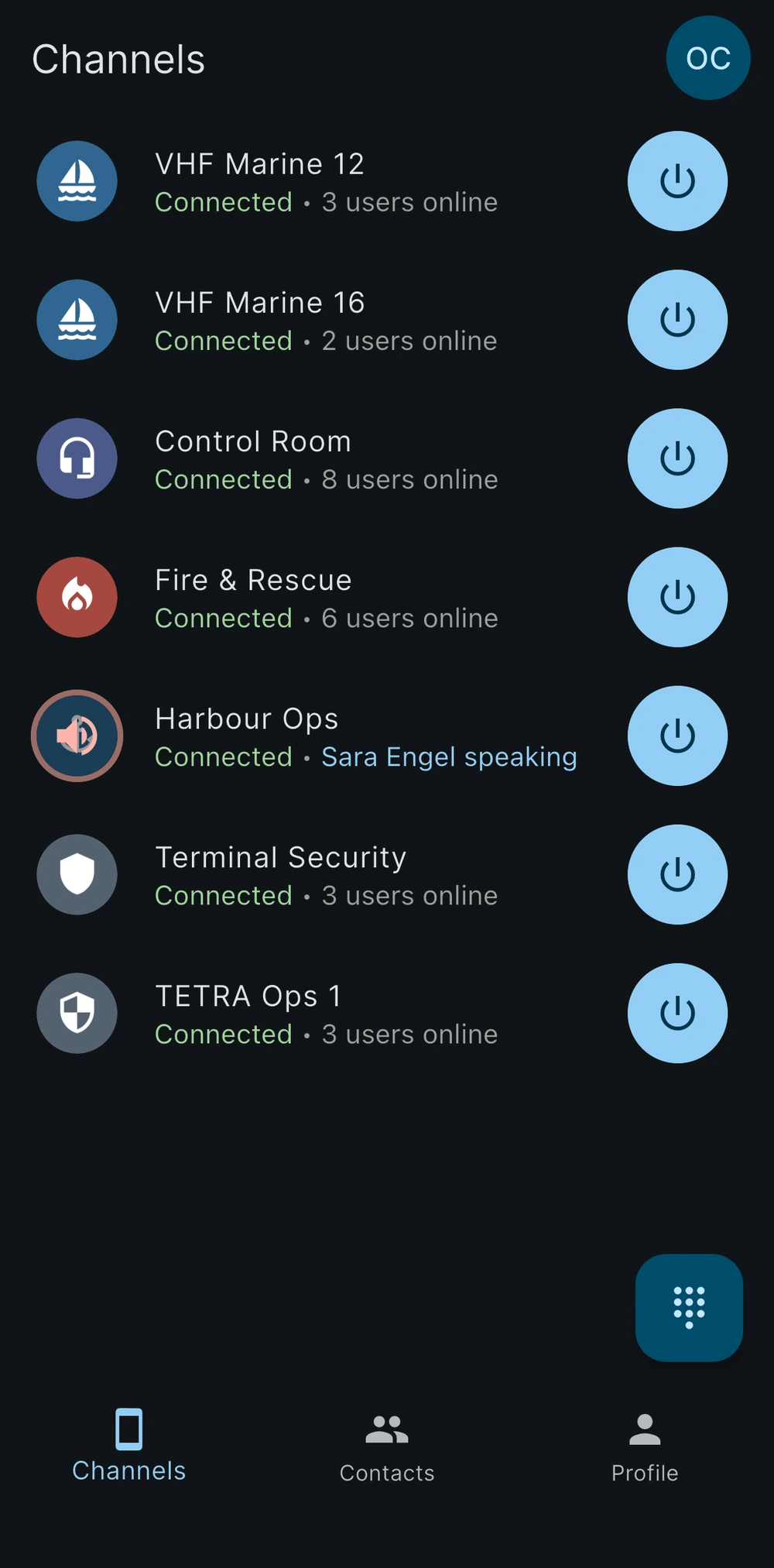
Each user sees the assigned channels, intercom or radio, with live connection status and one-touch access to every group they belong to.
Live connection and talker status
One-touch group PTT
Works over Wi-Fi, LTE and 5G
On an iPhone the Channels tab lists seven channels, all connected: the VHF Marine 12, VHF Marine 16 and TETRA Ops 1 radio channels next to the Control Room, Fire & Rescue, Harbour Ops and Terminal Security intercom channels. Sara Engel is speaking on Harbour Ops, the other channels show how many users are online, and every channel has a round button.
02 — Push-to-talk

Press and speak. That’s it.

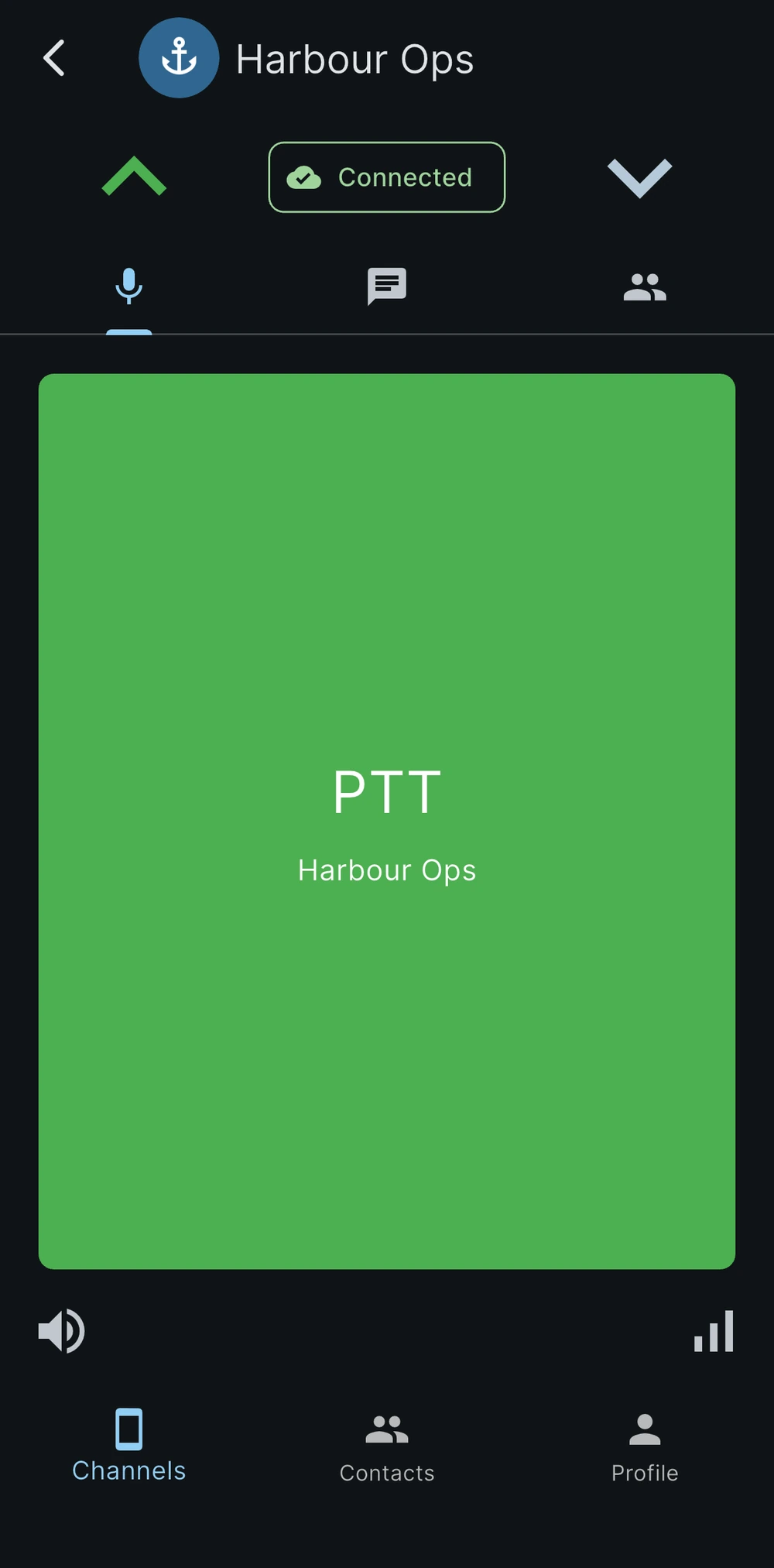
A large PTT surface built for gloves and hard conditions — with hardware accessories via Bluetooth LE, wired HID buttons and Android Auto.

Full-screen PTT button
BLE and wired PTT accessories
Android Auto and rugged PoC devices
An iPhone has the Harbour Ops channel open while the user transmits: the PTT square fills most of the screen and is green, and the transmit arrow is lit beside the Connected badge.
03 — Contacts

Reach the right person, fast.

A team directory with online status and private PTT calls — for the conversations that don’t belong on a group channel.
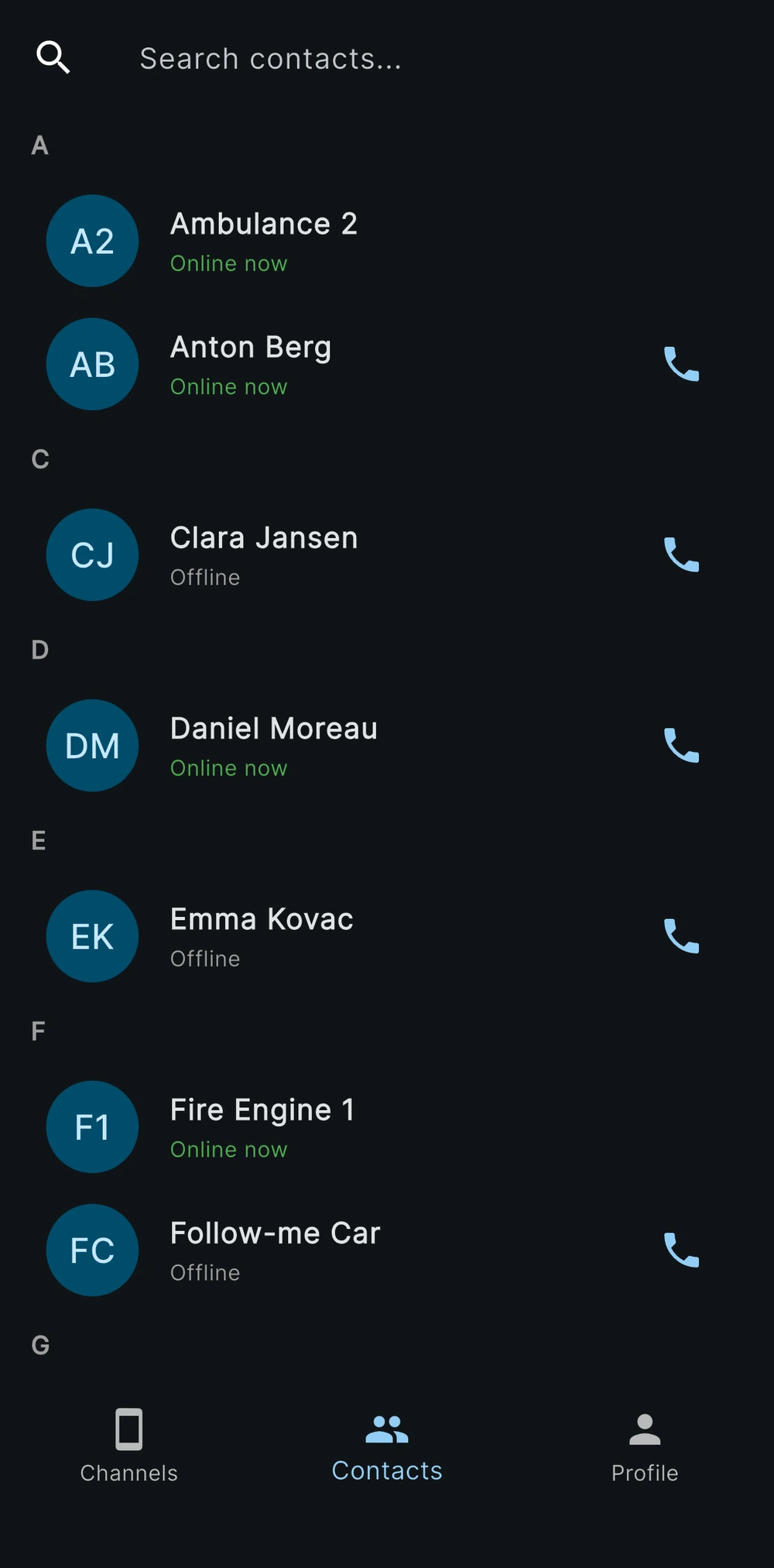
Quick search across the team directory
Online status at a glance
Private one-to-one PTT calls
In the Contacts tab of the app on iPhone, contacts are grouped by letter under the search field: Ambulance 2, Anton Berg, Daniel Moreau and Fire Engine 1 are online, Clara Jansen, Emma Kovac and Follow-me Car are offline, and the contacts you can call carry a call button.
04 — Profile

Tuned to each operator.

Security settings, PTT behaviour, notifications and theme — each operator configures the app for how they actually work.
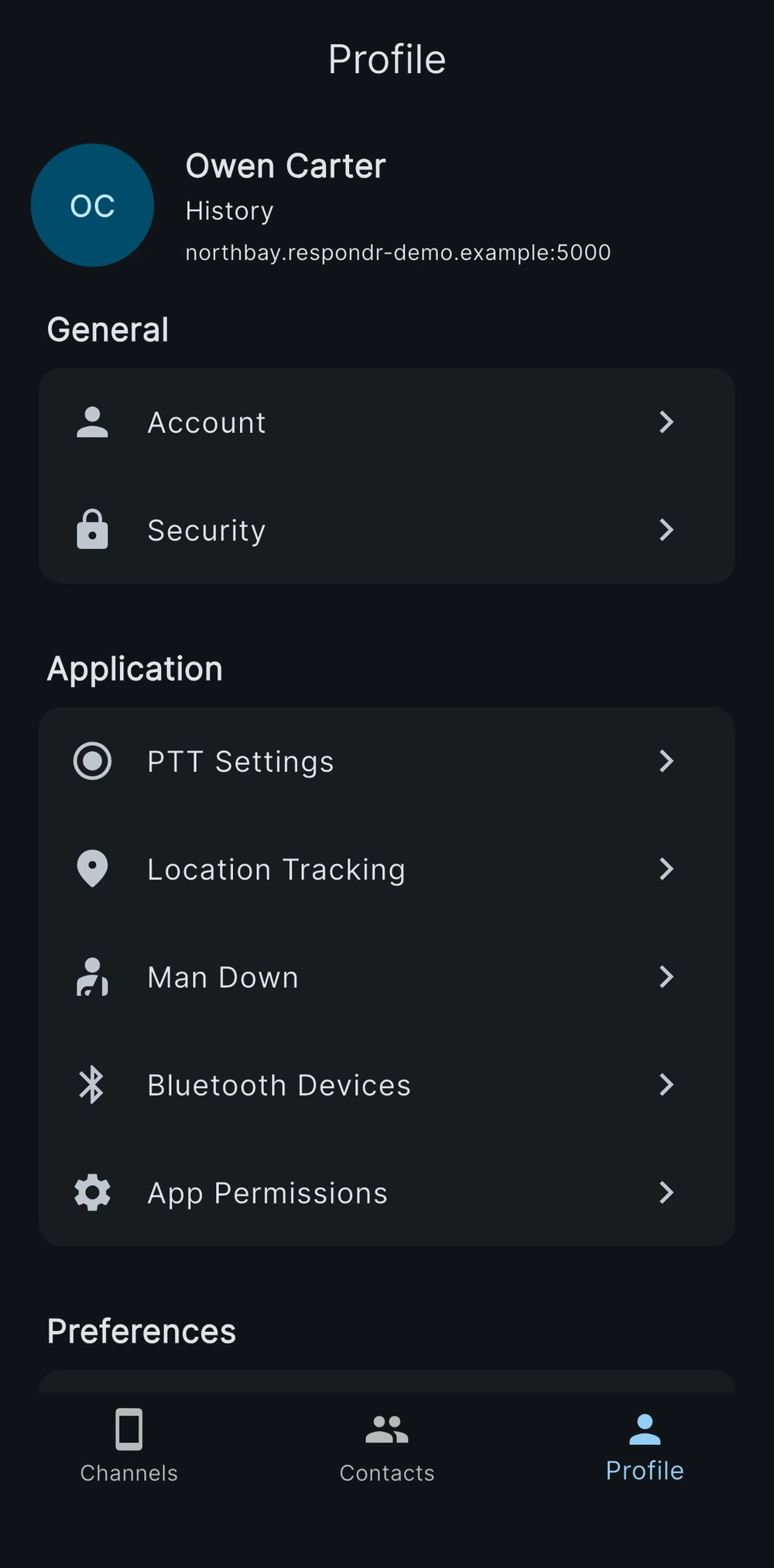
MFA and security controls
Custom PTT configuration
Light and dark theme
The Profile screen of the app on iPhone shows Owen Carter with the address of the server he is connected to, then the Account and Security entries under General and the PTT Settings, Location Tracking, Man Down, Bluetooth Devices and App Permissions entries under Application.

Built for field work

Push-to-talk for the field: intercom channels with no radios and, when needed, radio talkgroups linked through gateways reach the phones your teams already carry.

iOS & Android

Native push-to-talk apps for the smartphones your teams already carry, so a new radio fleet is not part of the rollout.

Rugged PoC radios

Runs on dedicated PTT-over-cellular handhelds when the job needs a rugged device with a real PTT key.

GPS tracking

Live positions on the console map, with location consent requested at first run, so the control room knows where each unit is.

Emergency alert

One button notifies dispatch with the position attached, turning a phone into a panic button the whole response team sees.

Secure transport

Every connection between app and server is encrypted with TLS, on cellular and Wi-Fi alike.

Private calls and chat

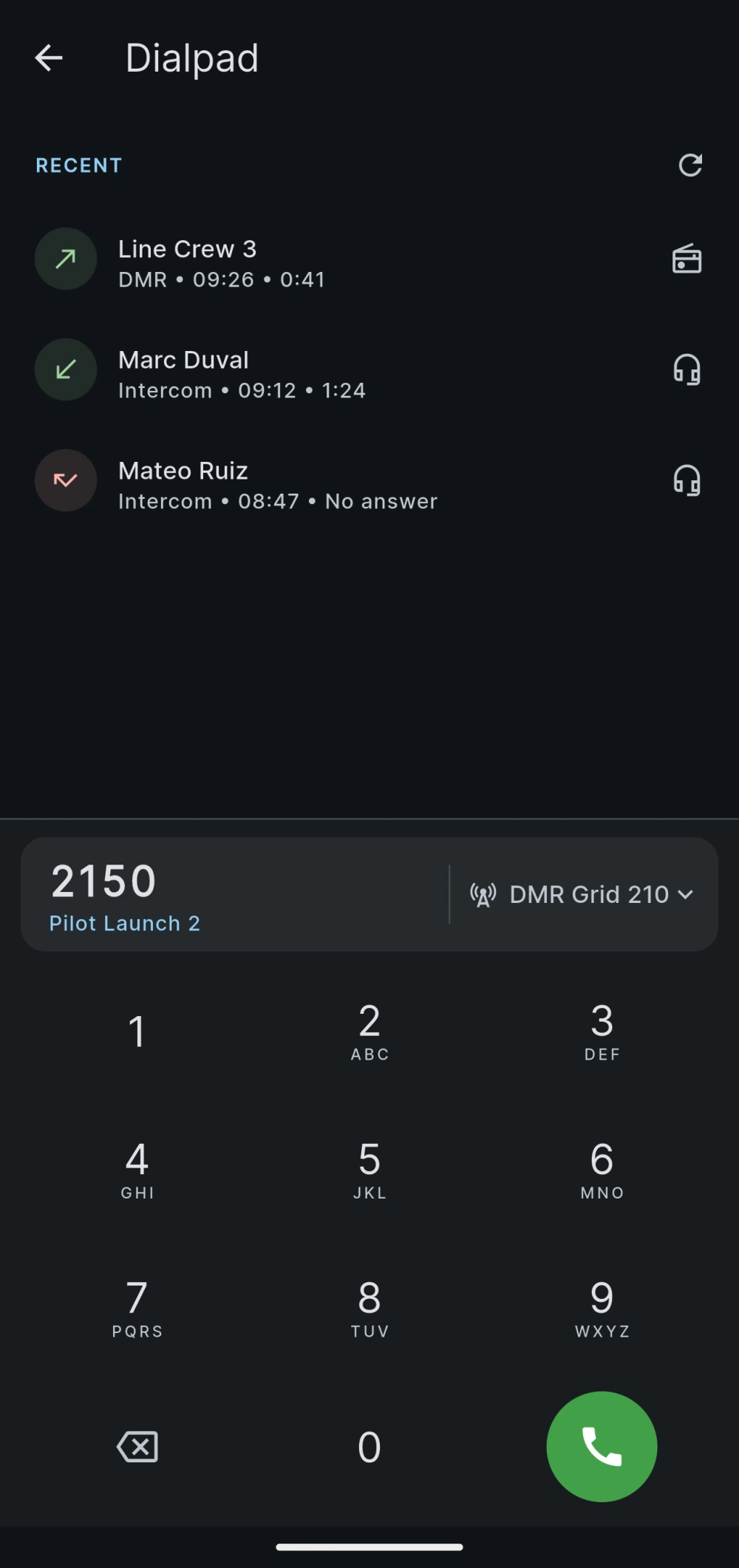
One-to-one voice calls and direct messages with attachments, next to channel push-to-talk, so a quick word does not tie up the whole channel.
On the Dialpad screen of the Android app the DMR ID 2150 is typed in the number field. The contact Pilot Launch 2 appears under the ID, and the radio channel for the call, DMR Grid 210, is selected on the right of the field. Above the field, the Recent list shows three calls: an outgoing DMR call to Line Crew 3, an incoming Intercom call from Marc Duval and an Intercom call from Mateo Ruiz that went unanswered.

PTT accessories

BluSkye and PTT Z-01 Bluetooth buttons, plus RG190, RG880i and TE350 rugged devices — the accessories field crews actually use.

See Respondr in action

Professional push-to-talk designed for mission-critical teams: a simple interface over the same channels the dispatchers run.

Real-time PTT channels

Transmitting, receiving and idle states at a glance, with live talker ID so everyone knows who is on air.

Your whole channel plan

Every talkgroup you belong to, one touch away, organized the way the control room organized it.

Secure team directory

Online status for the whole team and private push-to-talk calls, outside the group channels.
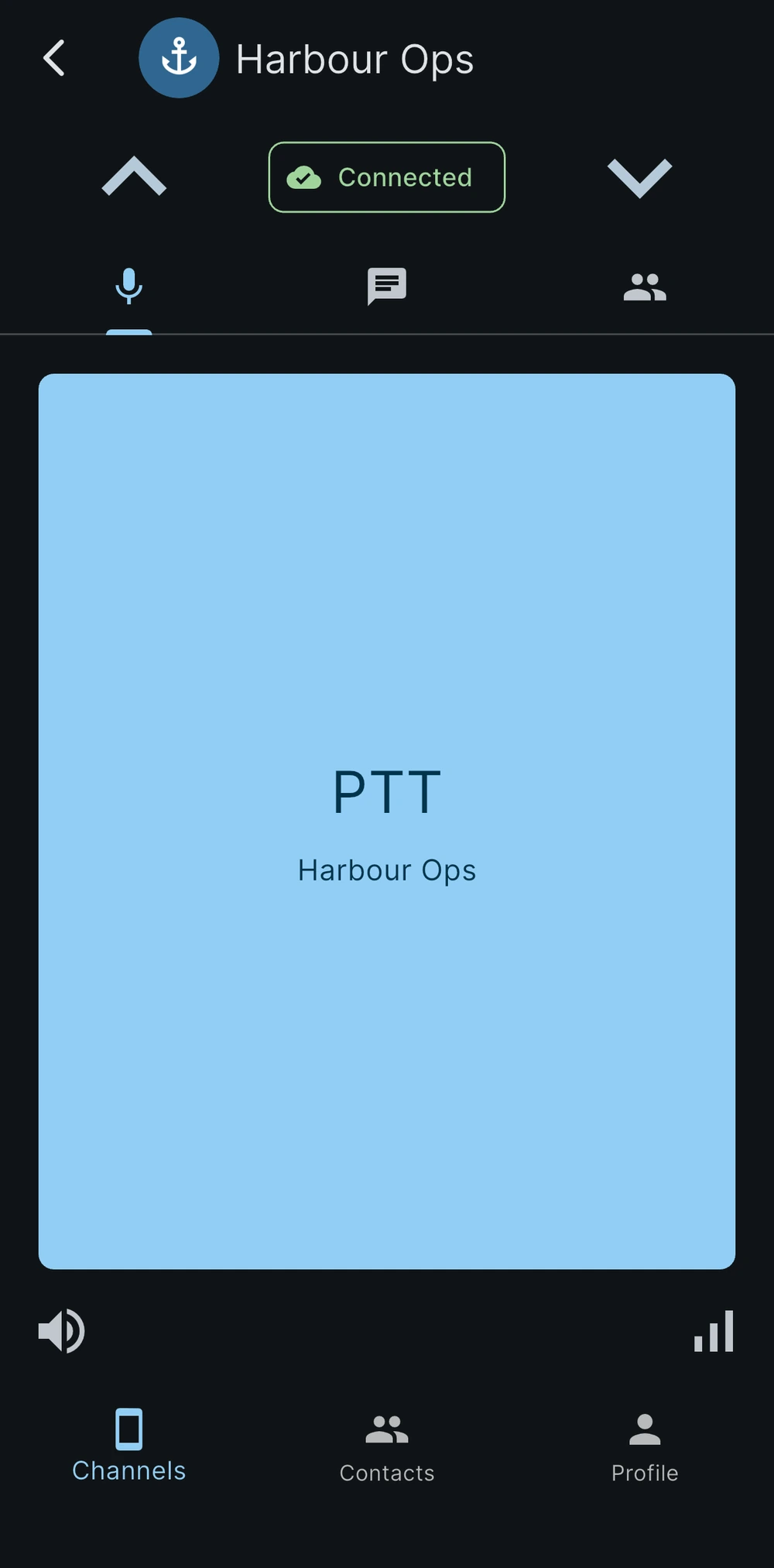
One channel, full screen

Open a talkgroup and the push-to-talk surface fills the screen — nothing else to hit by mistake with gloves on.
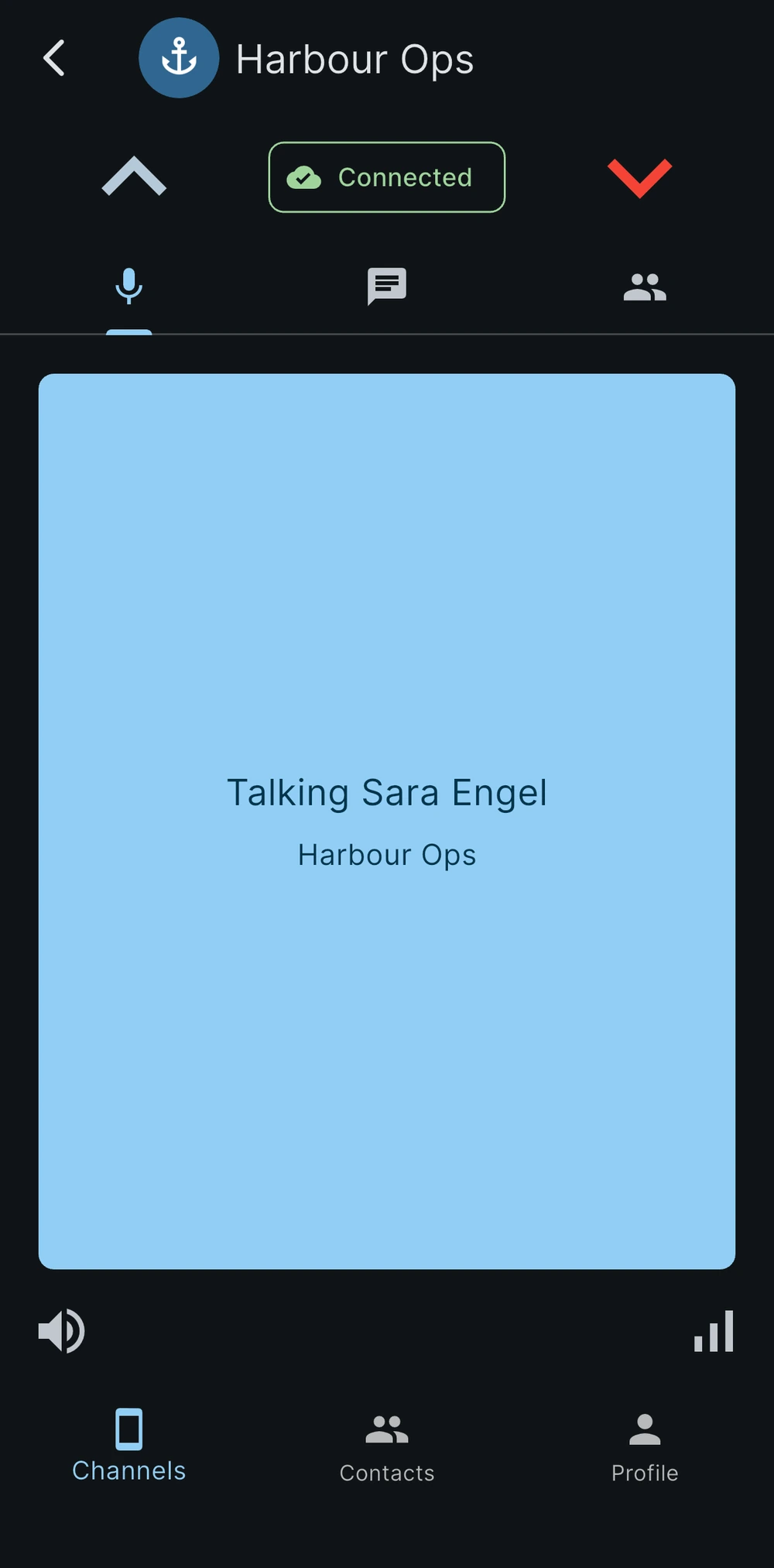
Incoming transmission

The receiving state and the talker ID show before you answer, so it is always clear who is on air.

Settings per operator

Security, push-to-talk behaviour and notifications, configured per operator on the device they actually carry.

You can start using Respondr today.

You can use professional push-to-talk on the smartphones your teams already have, with free installation on iOS and Android.

No workspace yet? You can create one for free. Start for free

Walkie-Talkie and PTT App for iOS and Android | Respondr