
Respondr is radio dispatch software for DMR, TETRA and analog networks.
Respondr is radio dispatch software for control rooms. Radio gateways bring your analog, DMR and TETRA networks onto IP, and the operator listens, transmits and coordinates every channel from a browser, a Windows PC or a dedicated console.
Related pages
This page explains what the dispatch software does for a control room. The console hardware, the radio gateways and each radio standard have their own pages.
Radio rooms and consoles
Radio gateways
DMR dispatch
TETRA dispatch
One application for every radio network.
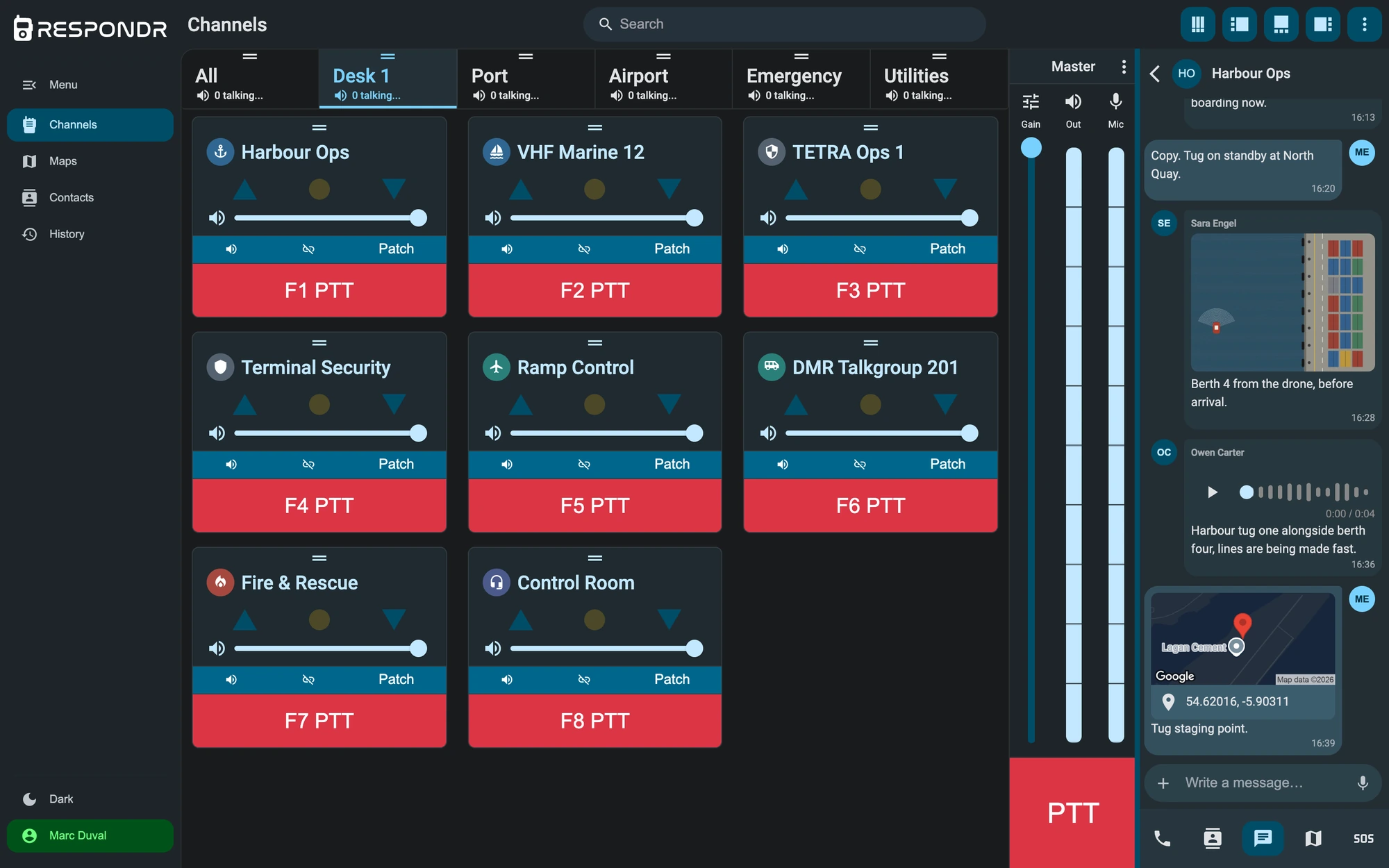
Radio dispatch software replaces the row of desk radios in a control room, one per network, with a single application. In Respondr the chain has three parts: radio gateways connect each network to IP, the Respondr server routes audio and signalling between gateways and users, and the operators work from their clients. The radios in the field keep working as they do today.

DMR, TETRA and analog on the same screen.
Each channel of each network appears as a channel in the dispatcher, with live transmit and receive state and the identity of whoever is speaking. Analog VHF and UHF, including marine and aeronautical VHF, connect through a 4-wire E&M interface. Digital networks connect through gateways that carry the radio ID or ISSI of the transmitting unit.
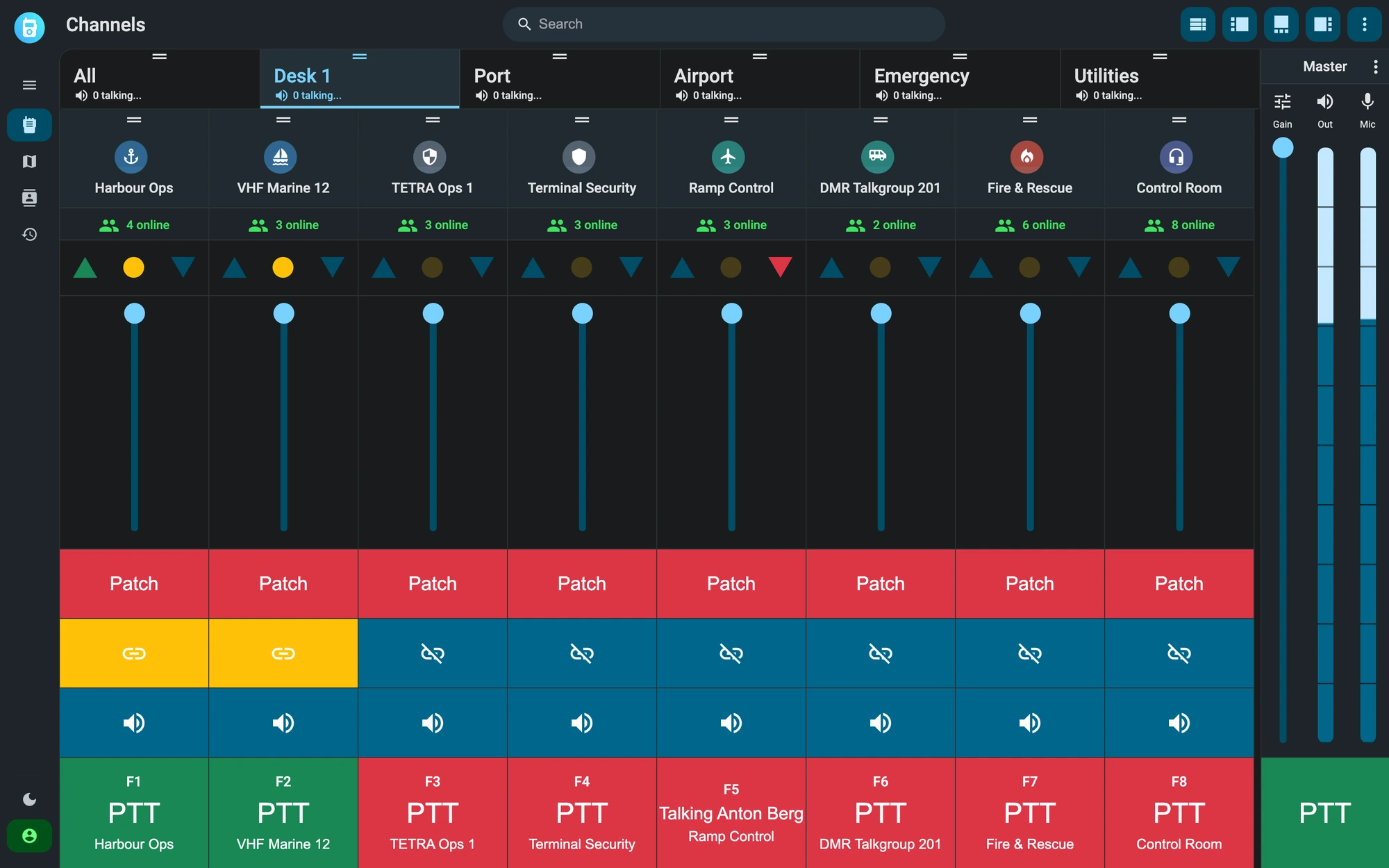
Every transmission recorded and searchable.
The software records the audio of the channels and keeps each transmission with its channel, time, sender and recipient. The history can be filtered by gateway, channel and contact, and optional transcription turns each recording into text you can search. In the browser client, a live map shows the positions reported by app users, with a radio coverage heatmap built from real signal samples.
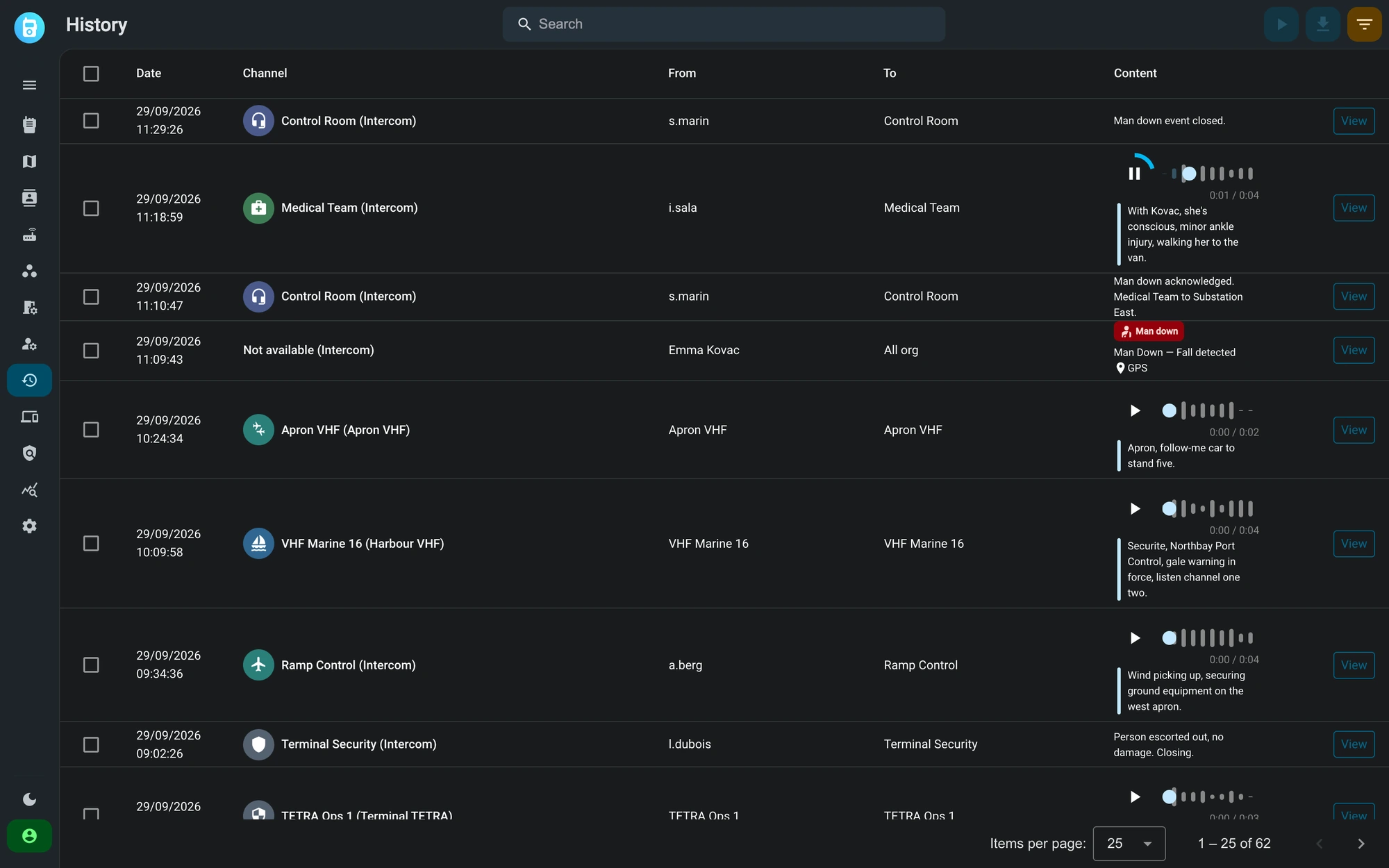
Each operator sees only their channels.
Respondr has two roles. Administrators configure gateways, channels, users and settings. Operators dispatch on the channels assigned to them and see nothing else. Access policies refine what each user and device can reach, and sign-in supports multi-factor authentication, single sign-on through OIDC and an account lockout after repeated failed attempts.
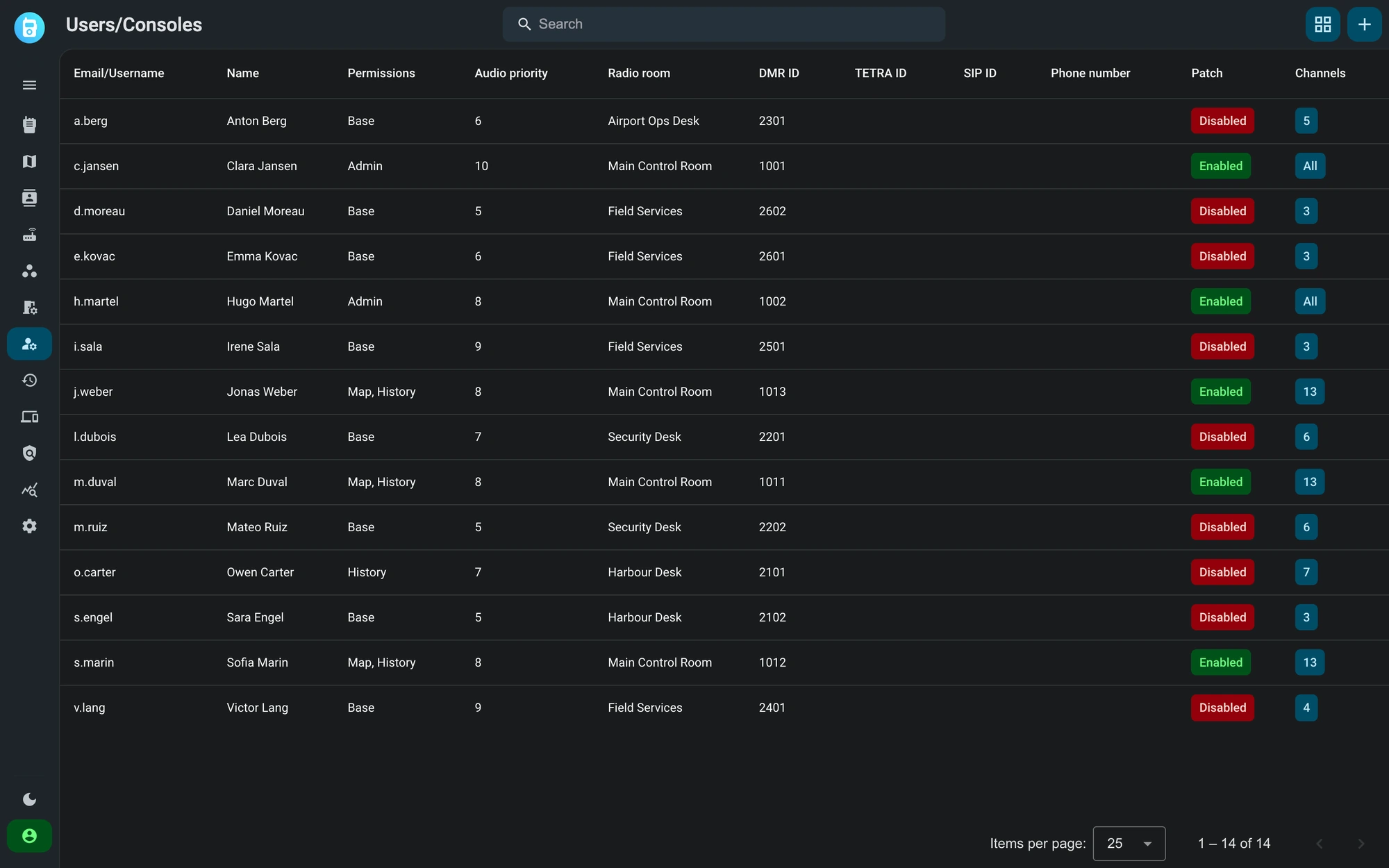
What the operator does from the dispatch screen
These are the everyday functions of the Respondr dispatcher, the same on every client that runs it.
Channel mixer
Patching between networks
Group transmit
Keyboard shortcuts
Emergency alerts
Messages and private calls
Radio dispatch software at a glance
| Capability | Detail |
|---|---|
| Radio networks | Analog VHF/UHF (4-wire E&M), DMR Tier I/II/III, TETRA, NEXEDGE |
| Gateways | FunkTronic FT636B, FT638 · Radio Data BS2500 · JPS RSP-Z2, ACU-Z1, STR-Z3 · Kenwood NXR · Radio Activity Kairos, RA |
| Clients | Browser, Windows desktop, Respondr consoles, iOS and Android |
| Recording | Channel audio with playback, optional transcription |
| Roles | Admin and Operator, plus per-resource access policies |
| Sign-in | MFA (TOTP), OIDC SSO, account lockout |
| Deployment | EU cloud, on premise or hybrid |
Where the dispatch software runs
The same dispatcher runs on four kinds of client, and the server can sit in the cloud or in your own building.
Browser
Windows desktop client
Respondr consoles
Mobile app
Cloud in the EU
On premise or hybrid
Frequently asked questions
It is the application a control room uses to listen, transmit and coordinate on radio channels from a computer instead of a desk radio. Respondr connects to the radio networks through gateways and shows every channel on one screen.
No. The gateways connect the networks you already run, and the handsets and vehicle radios in the field keep working as they do today.
Yes. The three networks reach the same software, and the operator can patch a channel of one network to a channel of another for as long as an incident lasts.
The consoles are the hardware: fanless touchscreen units with gooseneck microphone and PTT keys. They run the same dispatch software, which is also available in the browser and on Windows.
A Respondr console running the standalone edition works offline with local FunkTronic FT636B and FT638 gateways. Server deployments can run on premise, inside your own network.
Yes. Radio rooms group channels, users and gateways per site or per operation, so several control rooms in different locations work on the same platform, each with its own channels and operators. The consoles and the room settings are described on the radio rooms page.
Administrators see everything. Operators see only the channels assigned to them, and access policies narrow what each user and device can reach.
We’ll show you Respondr in a live demo.
We offer a 30-minute live demo built around your radio infrastructure.