
Skip to content
Respondr

PTT talkgroups: talk instantly, listen everywhere.

Organize every network into the channels your operators actually use — with per-channel priority, permissions and live talker ID.
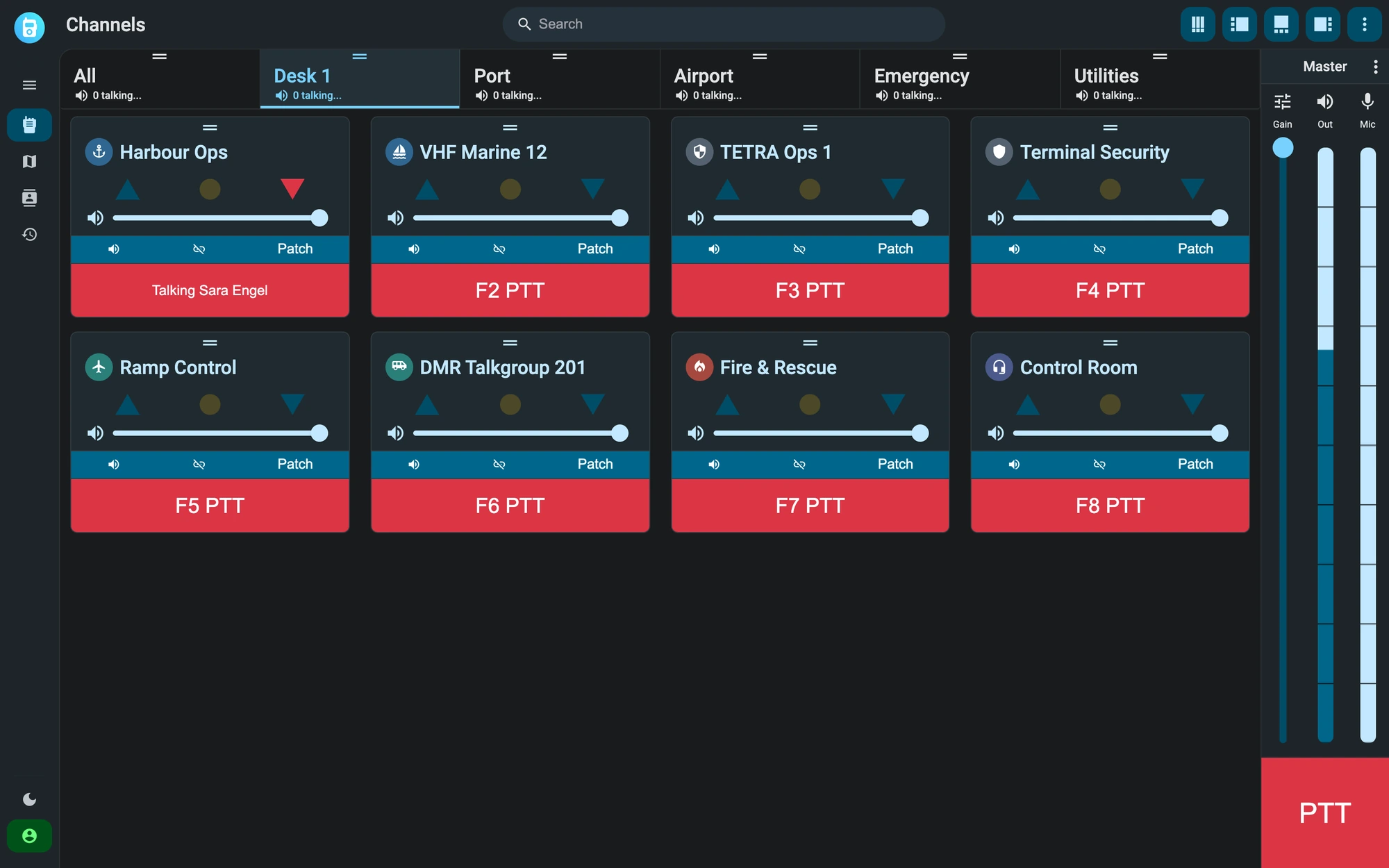
The Respondr console is in grid view on the Desk 1 tab. Each of the eight channels (the VHF Marine 12, TETRA Ops 1 and DMR Talkgroup 201 radio channels and five intercom channels) has volume, patch and a PTT button on the F1 to F8 keys. Sara Engel is talking on Harbour Ops.
01 — Push-to-talk

One button, hundreds of users.

Reach entire teams with a single press and monitor multiple channels at once for full situational awareness — with live talker identification on every transmission.
Multi-channel monitoring
Live talker ID on every call
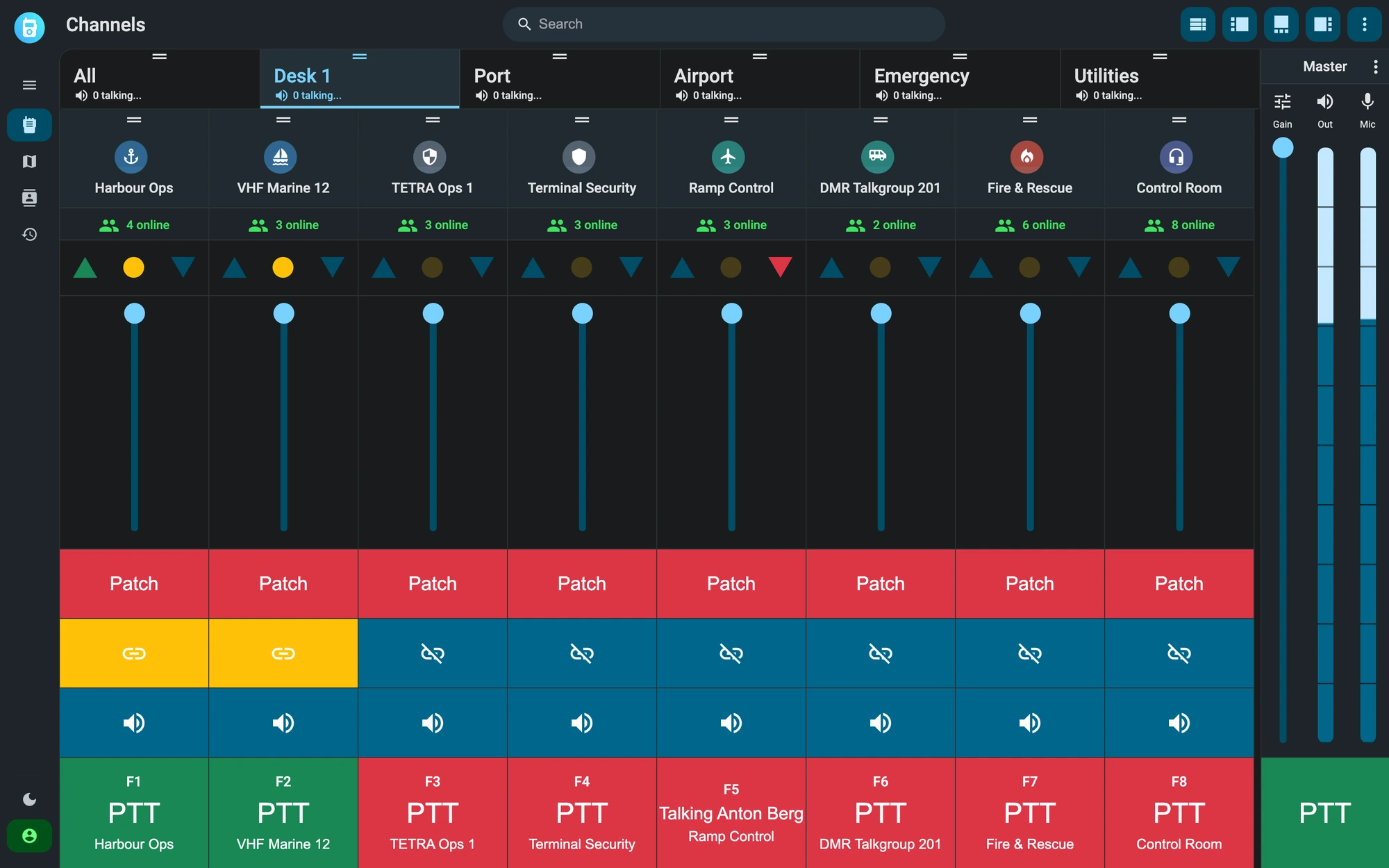
The console is in strip view on the Desk 1 tab: eight channels side by side, among them the VHF Marine 12, TETRA Ops 1 and DMR Talkgroup 201 radio channels, show their online users, volume fader, patch and function-key PTT. The Harbour Ops intercom channel and the VHF Marine 12 marine channel are linked and the dispatcher is transmitting on both, while Anton Berg is talking on Ramp Control.
02 — Broadcasting

One message, all channels.

Link selected channels and broadcast critical messages across all of them with a single press — every team member reached, whatever their assigned channel.
Simultaneous multi-channel transmission
Dynamic channel selection
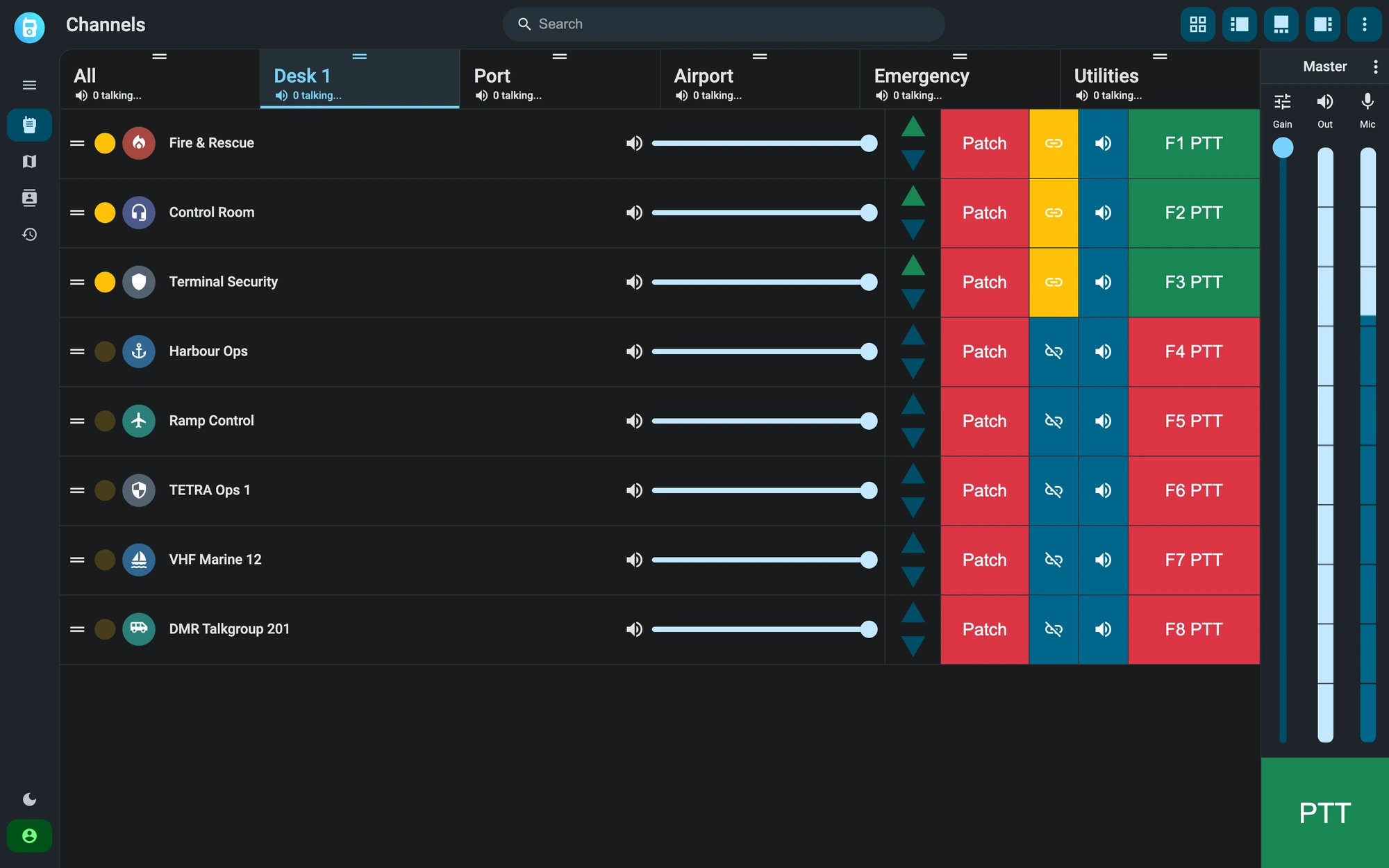
The console is in row view on the Desk 1 tab. Fire & Rescue, Control Room and Terminal Security are linked, and their PTT buttons, F1 to F3, are green because the dispatcher is transmitting on the three channels at once; the other five channels, among them TETRA Ops 1, VHF Marine 12 and DMR Talkgroup 201, stay idle, each with its volume and priority arrows.
03 — Patching

Bridge any network in seconds.

Patch radios from different networks and technologies into one conversation — temporary bridges for an incident, permanent ones for daily operations.
Analog ↔ digital patching
Temporary or permanent bridges
Per-user audio priority within the patch
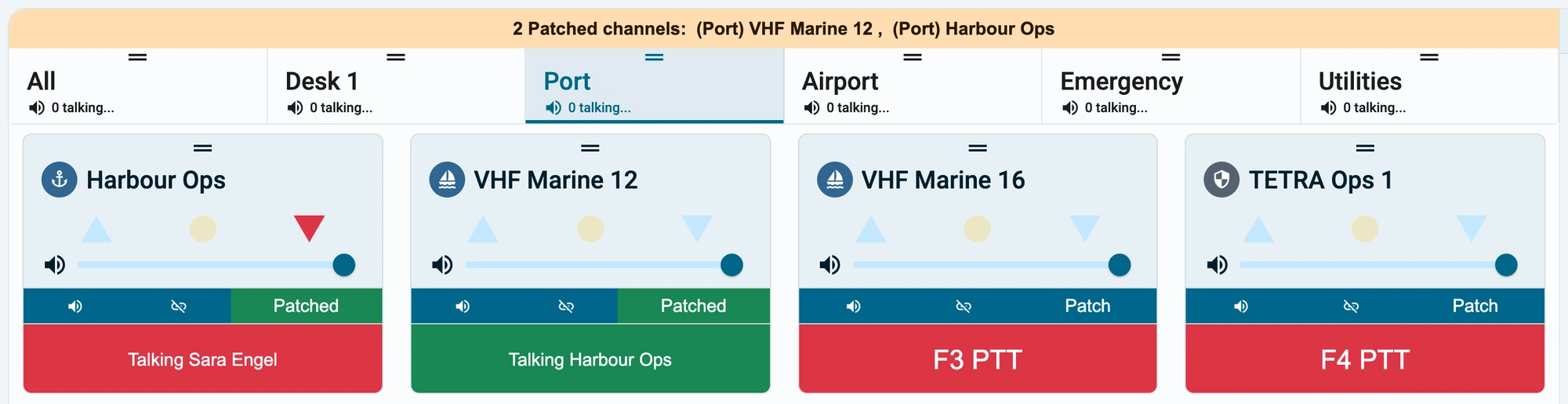
On the Port tab a banner at the top reports 2 patched channels, VHF Marine 12 and Harbour Ops. Sara Engel is talking on Harbour Ops and her voice is relayed onto VHF Marine 12; beside them the VHF Marine 16 and TETRA Ops 1 channels stay idle.
04 — Views

Intuitive for every operator.

Card, list, horizontal or grid — every view keeps the same controls: PTT, patch, volume and mute. Operators pick the layout that fits their desk.
Card, list, horizontal and grid views
Same controls in every layout
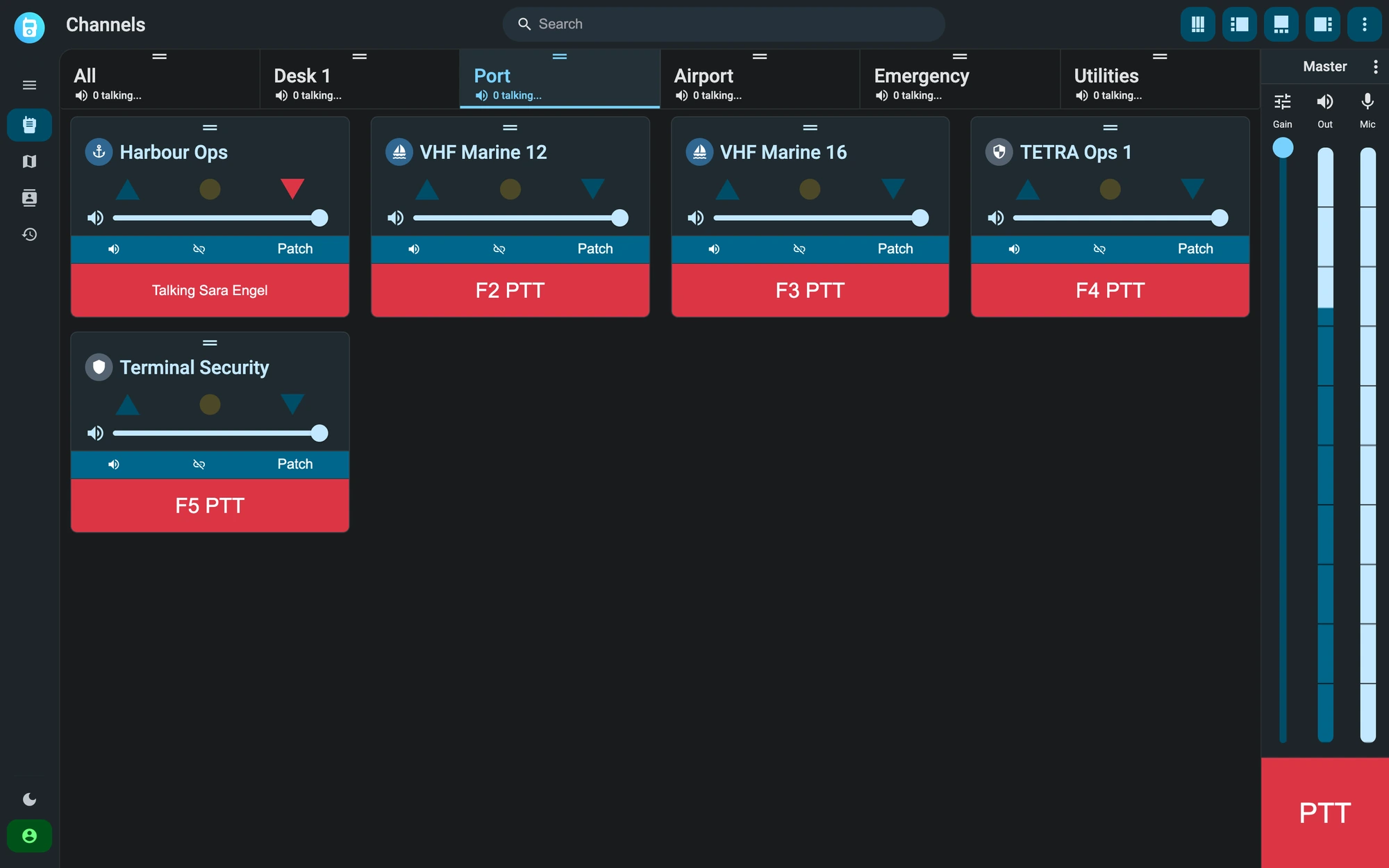
The console is in grid view on the Port tab, one of the six group tabs at the top: All, Desk 1, Port, Airport, Emergency and Utilities. The Port tab holds Harbour Ops, VHF Marine 12, VHF Marine 16, TETRA Ops 1 and Terminal Security, each with volume, patch and a PTT button; Sara Engel is talking on Harbour Ops.
05. Intercom channels

A channel can work without a radio.

An intercom channel has no radio behind it: the server relays the voice between the users of the app and of the console. A radio channel is linked to a gateway. In the dispatcher both kinds are handled the same way and you can patch them together, even two intercom channels.
No gateway for intercom channels
Patch between intercom and radio channels
Chat, photos and position in intercom channels
How intercom channels work
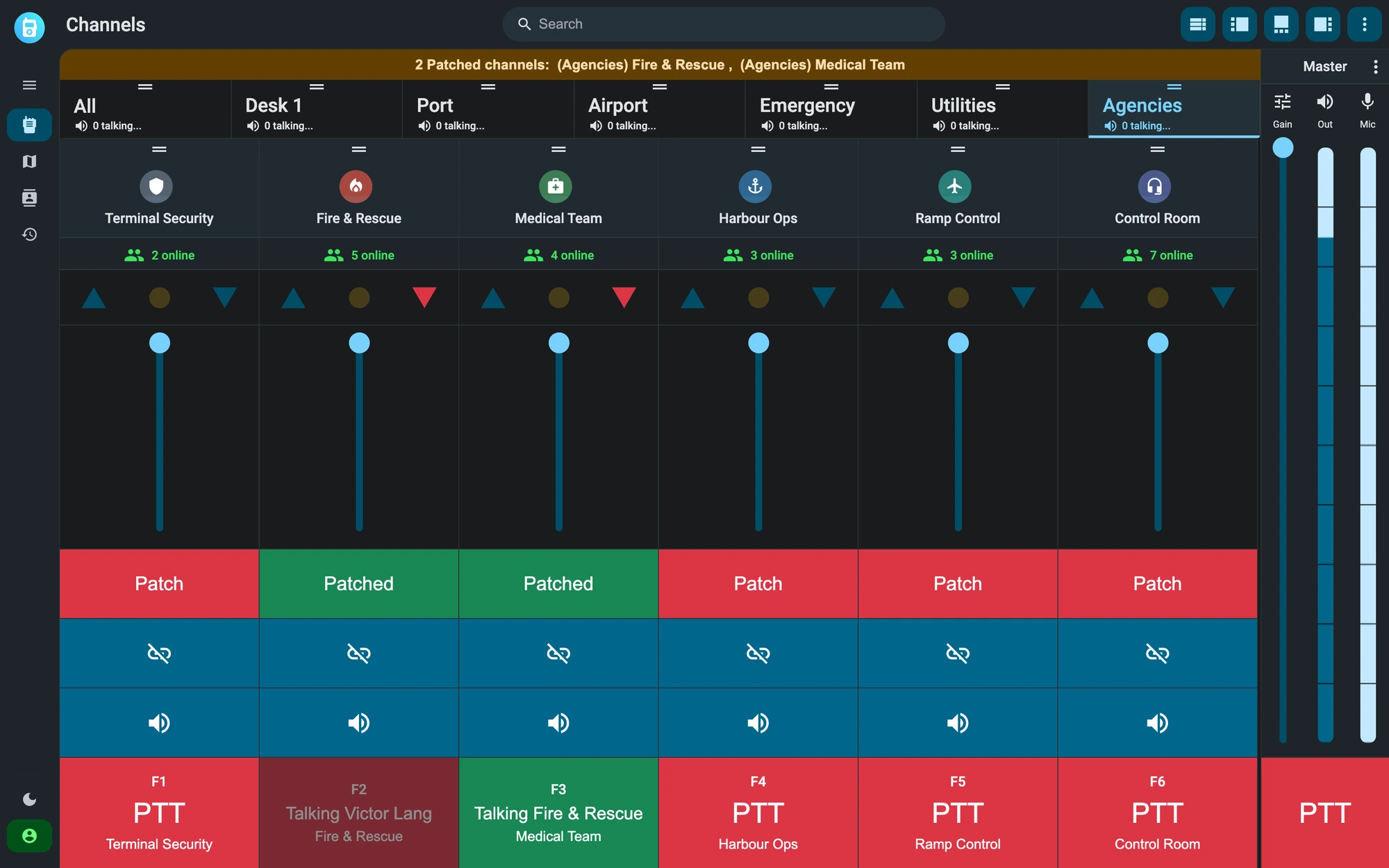
On the Agencies tab the Fire & Rescue and Medical Team intercom channels are patched, and a banner at the top says so. Victor Lang, who has a higher priority than the dispatcher, is talking on Fire & Rescue, and his voice is relayed on Medical Team.

Channel types & controls

Every conversation type a control room needs — team talkgroups, one-way broadcasts, private push-to-talk calls and emergency alerts — each with its own priority and permissions.

Group channels

Communication is organized into channels: intercom channels for teams on the app, talkgroups for the radio networks. Every subscribed member hears the same traffic and answers on the same channel, so a whole team is reachable with one press of the push-to-talk button.

Broadcast channels

Send announcements and organization-wide information to many recipients at once. Recipients listen and cannot transmit back, which keeps one-way communication clear when a critical update has to reach everyone.

Private calls

Open a secure one-to-one conversation between a dispatcher and a field operator, outside the group channels. Setup takes a single tap, and both parties return to their talkgroups as soon as the call ends.

Emergency calls

One button raises an emergency alert to the response team, with a short recording and the caller position attached. The dispatcher has the context needed to act before the first word is spoken.

PTT priority

Assign priority levels to users so dispatchers and supervisors can take control of a busy channel. A higher-priority talker overrides traffic in progress, so critical instructions are never queued behind routine chatter.

Multi-channel listen

Monitor several radio channels simultaneously for comprehensive situational awareness. Essential where operators have to follow different talkgroups in real time without giving any of them up.

We’ll show you Respondr in a live demo.

We offer a 30-minute live demo built around your radio infrastructure.

PTT Talkgroups and Cross-Network Radio Patching | Respondr